An ERP is not powerful software. It is one version of truth for your entire business, enforced by rules no one can casually bypass. Understanding how it works is not a technical exercise it is a business decision exercise.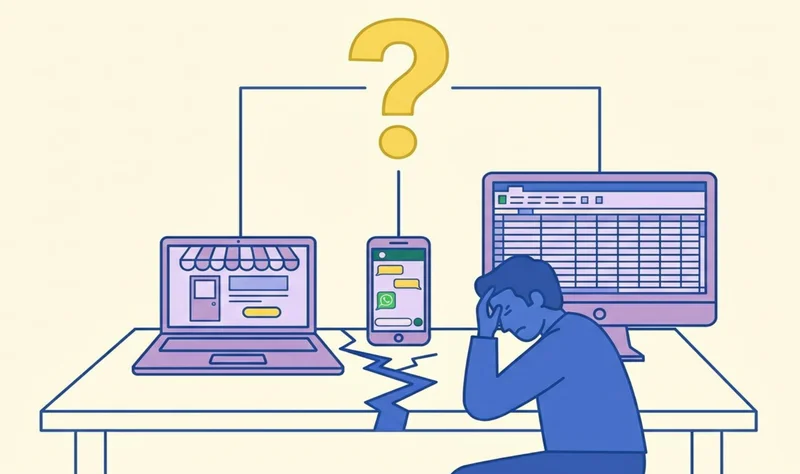
The Tuesday Morning Crisis
It is Tuesday morning. You open three tabs - Shopify, your WhatsApp group with the warehouse team, and your CA's Tally report. Each one shows a different stock number for your best-selling anti-hairfall shampoo.
Shopify says 1,200 units. The warehouse group says 800. Tally says 1,050.
You do not know which number is real. But you know this - you are making expensive decisions on data nobody trusts, and somewhere between the spreadsheets and WhatsApp approvals, lakhs are silently leaking every month.
An ERP ends that Tuesday morning crisis. Not because it is powerful software, but because it creates one version of truth for your entire business, enforced by rules no one can casually bypass.
This guide gives you the first-principles breakdown of what actually happens inside an ERP for an Indian D2C or manufacturing business - at the data layer, the rules layer, and the transaction layer. You will understand exactly what you are buying before you sign a ₹10–50 lakh cheque.
1. What an ERP Actually Is - First Principles
Strip away the vendor demos and feature lists. At its core, an ERP is three things operating together:
One shared database - every department reads and writes to the same tables simultaneously
Master data - the nouns of your business (items, customers, vendors, accounts)
A rules engine - the brain that controls how data can change, who can change it, and what happens in the books when it does
One Database - Not Ten Silos
In most ₹10–50 Cr Indian businesses, each department has its own version of truth. Finance has Tally. Sales has Shopify and marketplace panels. Warehouse has a WhatsApp group and maybe a spreadsheet. Everyone reconciles manually 10 to 15 days a month, every month.
In a proper ERP, every department writes to and reads from the same relational database. A GRN posted by the storekeeper in Bengaluru immediately changes the inventory number the CFO sees in Mumbai - no exports, no copy-paste, no "please send the latest file."
Master Records vs Transaction Records - Nouns vs Verbs
This is the most important ERP concept that almost no sales demo explains clearly:
When a transaction fires against a master record, the ERP copies point-in-time values - your customer's GSTIN, your item's HSN code, the vendor's TDS section - into the transaction snapshot. Even if you change those master fields tomorrow, yesterday's documents keep their original values. That is audit trail by design, not by accident.
What Is a Posting - And Why You Cannot Undo It Like Excel
A posting is when the ERP permanently writes a financial entry into the General Ledger. When your team posts a vendor invoice for bottles:
Dr Raw Material Inventory ₹1,00,000
Dr Input CGST ₹9,000 + Dr Input SGST ₹9,000
Cr Vendor Payable ₹1,18,000
The system assigns a unique document number, stamps a posting date (which determines which GSTR-3B this falls into), and locks the document. You cannot edit it like an Excel cell - you post a reversal. That irreversibility is a feature, not a flaw. It is what makes your books auditable.
Real-Time Means Event-Triggered, Not Magic
When your storekeeper saves a GRN, in one atomic operation:
GRN document is created with a unique number
Stock quantity and value update immediately in inventory tables
Moving average cost recalculates for the item
Financial posting fires: Dr Inventory, Cr GR/IR Clearing
PO open quantity reduces and status changes to Partially Delivered
No one has to inform finance. The system does it the second the GRN is saved. That is what real-time means in ERP.
2. The Three Layers of an ERP System
Every ERP has three layers working together. Understanding them helps you ask the right questions in partner demos and avoid being sold features you do not need.
Layer 1 - The Data Layer
The foundation. A single sales order for 10 shampoo kits is not one flat row. Behind the UI, it is five linked tables - SO header, line items, schedule lines, pricing conditions, and tax lines. Each row has a primary key and foreign keys pointing to item master, customer master, and tax codes.
India adds mandatory fields that must exist at the data layer: GSTIN and state codes in customer and vendor masters, HSN/SAC in item master, IRN and acknowledgement fields on invoices once e-invoice is generated. Any ERP that claims to be India-ready without showing you these at the master data level is a red flag.
Layer 2 — The Business Logic Layer
This is the brain. When a sales order is saved, the logic layer checks: Does this customer have a credit limit? Is this stock available? Is this price within tolerance? Is the GSTIN valid for e-invoice generation?
The workflow engine lives here. A Purchase Order does not just get approved on WhatsApp - it moves through defined states with enforced rules at every transition. The person who approves is logged. The time of approval is stamped. Fields lock once a state passes.
Layer 3 — The Presentation Layer
This is what vendor demos show you. Behind the screens is RBAC - Role-Based Access Control. A storekeeper sees GRN entry screens. An accountant sees invoice posting. Neither sees the other's functions or data they should not touch.
Sample RBAC Matrix for a ₹20 Cr D2C Brand:
3. The Five Core Data Objects Your ERP Sits On
If these five objects are wrong, nothing else works. Every transaction, every posting, every GST return depends on the quality of these master records.
1. Item Master - The DNA of Your Products

Every SKU needs one clean record. Key India-critical fields:
HSN/SAC code - wrong HSN on 10,000 invoices creates GST classification problems and potential ITC denials
Base and Alternate UOM - buy in cartons of 24, sell in pieces - conversion factor must be exact
Batch/Expiry tracking - mandatory for cosmetics and FMCG
BOM links - for manufactured goods
If you have the same product entered as three different item codes, your stock reports will never be accurate.
2. Customer Master - Who You Sell To

Critical fields: Legal Name (must match GST registration exactly for B2B), GSTIN (validated - wrong GSTIN means IRN rejection), State Code and PIN (drives e-way bill and e-invoice tax determination), Credit Limit (prevents over-exposure to bad debtors).
Having "Reliance Retail", "Reliance Retail Ltd", and "RRL" as three separate records makes your receivables report meaningless.
3. Vendor Master - Who You Buy From

India-critical fields: PAN (drives TDS section and rate - wrong PAN means wrong 26AS), GSTIN (inactive vendor GSTIN means ITC reconciliation mismatch in GSTR-2B), TDS Section (194C for contractors, 194J for professionals), Bank Account and IFSC for NEFT/RTGS payment files.
4. Chart of Accounts The Map of Your Money

India requires separate GL accounts for: Input CGST, Input SGST, Input IGST, Output CGST, Output SGST, Output IGST, TDS Payable per section, and rounding accounts.
The biggest CoA mistake: mapping all sales to one single Sales account. You lose channel-wise margin - D2C vs marketplace vs distributor permanently.
5. Organisational Structure - How ERP Models Your Business

ERP forces you to be explicit: Company Code (legal entity), Plant/Warehouse (physical location), Sales Organisation (selling unit with its own price lists), Purchase Organisation (buying unit). If you have warehouses in multiple states with separate GSTINs, your org structure must reflect that. Wrong org structure decisions made on day one are very expensive to fix in year three.
4. Procure-to-Pay (P2P) - Every Step, Atom by Atom
This is the centrepiece of how ERP works for an Indian business. Here is every step of what happens inside ERP when your brand buys packaging - at the data and financial level.
The P2P Flow:Purchase Requisition → Purchase Order → GRN → Invoice Verification → Payment and Clearing
Step 1 - Purchase Requisition (PR)
The PR captures: item code, quantity, required delivery date, cost centre, and desired vendor. Business logic fires immediately - Is this item in the approved master? Does this cost centre have budget?
Database creates PR header (one row) and PR item (one row per line)
Workflow routes to approver if value exceeds threshold
No financial posting at PR stage - it is a request, not a commitment
Step 2 - Purchase Order (PO)
The buyer converts the approved PR into a PO. Additional fields added: Vendor (from vendor master), Price (last PO or contract), Tax Code (drives GST rate), and Delivery Terms.
PO number assigned from configured number range - immutable once approved
Certain fields lock after first GRN - vendor, item, tax code
PO PDF auto-emailed to vendor
Still no financial posting at this stage
Step 3 - Goods Receipt Note (GRN)
Goods arrive at warehouse. Storekeeper selects PO, enters actual received quantities, assigns batch numbers and expiry dates. This is where the three-way match begins.
Inventory posting fires instantly: Dr Inventory, Cr GR/IR Clearing
Stock moved to Quality Inspection if QC is required - blocked from sale or dispatch
PO open quantity reduces, PO status changes to Partially or Fully Delivered
Batch table records: batch number, manufacture date, expiry, quantity received
Step 4 - Invoice Verification
Accounts team enters vendor invoice against PO and GRN reference. Three-way match completes: Invoice vs PO vs GRN on quantity AND price.
Match within tolerance → invoice posts: Dr GR/IR Clearing, Cr Vendor, Dr Input CGST/SGST
Mismatch → invoice blocked, buyer notified, variance routed for resolution
IRN on vendor invoice captured for GSTR-2B reconciliation
Invoice tolerances configured: ±3% price, ±5% quantity
Step 5 - Payment and Clearing
Payment run batches all due invoices based on payment terms. Bank files generated in NEFT/RTGS format. TDS auto-deducted based on vendor master's TDS section and cumulative payment threshold tracking.
Financial posting: Dr Vendor, Cr Bank, Cr TDS Payable
Vendor open item cleared - invoice status moves to Paid
TDS report auto-generated for 26AS reconciliation and return filing

5. Order-to-Cash (O2C) - The Sales Side Walkthrough
The O2C Flow: Sales Order → Delivery and Pick → Goods Issue → Invoice + IRN → Collection and Clearing
Step 1 - Sales Order
When the sales order is created, the system auto-populates the customer's GSTIN, address, credit terms, and assigned price list from the customer master. HSN codes and tax classifications auto-fill from the item master.
Credit limit check: open invoices plus this order value vs customer limit - block or hold if breached
ATP (Available to Promise): checks stock and planned receipts to confirm delivery date
Pricing procedure: applies customer-specific price list, discounts, freight, GST - all automatic
Step 2 - Delivery, Picking and Goods Issue
Delivery document created from the SO. WMS generates pick list with bin locations. On Post Goods Issue, the critical inventory posting fires:
Stock quantity reduces in specific warehouse, bin, and batch
Dr COGS Account → Cr Inventory Account in real time
E-way bill auto-generated if consignment value exceeds ₹50,000
Step 3 - Invoice and E-Invoice Generation
Billing document created from delivery. GST tax determination fires: supplier state vs customer ship-to state → CGST+SGST (intrastate) or IGST (interstate). If your turnover is above ₹5 Cr, ERP pushes invoice data to IRP via API, receives IRN and QR code, stores on the invoice record, and prints on the PDF - all in seconds.
Dr Customer Account → Cr Revenue → Cr Output GST
IRN rejection reasons: wrong GSTIN, missing PIN, duplicate invoice number in same financial year
Step 4 - Collection and Cash Application
Payment received via NEFT, marketplace settlement, or payment gateway. Bank statement imported. ERP auto-matches payment to open invoices by amount and reference.
Dr Bank, Cr Customer
Invoice status moves to Cleared
AR ageing updates in real time
6. The Five Frameworks That Explain ERP at a Systems Level
Framework 1 - Single Version of Truth (SVOT)
One database, one set of validated master data, one number every department sees simultaneously. The Indian cost of NOT having SVOT: finance vs warehouse inventory difference takes 10–15 days of human time to reconcile every single month.
MDG process: Request → Validate (GSTIN online check) → Approve → Update → Audit Log
Framework 2 - Document Flow and Unbreakable Traceability
In ERP, every document references the one that created it - forming a chain you can drill through in both directions.
P2P chain: PR → PO → GRN → Invoice → Payment
O2C chain: Quotation → SO → Delivery → Invoice with IRN → Collection
From any payment, trace back to invoice → GRN → PO → PR. During a GST audit, from any credit note, trace back to the original invoice and tax amount. WhatsApp approvals have no document flow - the chat and the actual transaction are permanently disconnected.
Framework 3 - Three-Way Match Control
The single most important financial control ERP gives you. Matches: Purchase Order (what you agreed to pay) + GRN (what you actually received) + Vendor Invoice (what they are billing).
Without three-way match: you pay for goods not received, at prices not agreed - silent leakage every month. With three-way match: invoice blocked automatically, buyer notified, variance resolved before payment.
Framework 4 - Segregation of Duties (SoD)
No single person can initiate AND authorise AND record a transaction. The four critical SoD conflicts every Indian SMB must prevent:
Vendor master creation + Payment approval → Fraud risk: create fake vendor, approve payment
GRN posting + Invoice verification → Procurement fraud: receive and pay for goods never delivered
Sales order creation + Credit limit override → Revenue risk: sales ships to bad debtors
Item master maintenance + Stock count → Inventory manipulation risk
Framework 5 - DIKW Pyramid: From Data to Decisions
Most Indian SMBs implement ERP but only use it at the bottom rung - they get Data but never extract Information or Knowledge.
Data: GRN posted, 1,000 bottles received from Vendor A at ₹100
Information: Stock on hand, moving average cost, vendor ageing - all live
Knowledge: Slow-moving SKUs with 90-day no movement, vendors with more than 10% late deliveries
Wisdom: Stop reordering Item X, switch vendors, change pricing - system-informed decisions
7. India's ERP Layer - GST, E-Invoice and TDS Architecture
India's compliance stack has no equivalent in Western markets. Your ERP must handle 28 GST slabs, HSN/SAC codes, e-invoicing API integration, e-way bills, TDS/TCS, and GSTR reconciliation - built in, not bolted on.
GST Architecture Inside ERP
Tax codes: each code contains tax type (CGST/SGST/IGST), rate, GL account assignment, and input/output nature
Tax determination: supplier state + ship-to state + HSN + customer type (B2B/B2C/SEZ/Export) → auto-selects correct tax code
Account determination: tax code maps to specific GL accounts automatically - no manual journal needed
E-Invoice Integration (Above ₹5 Cr Turnover)
ERP constructs a JSON payload from invoice data and sends it to the IRP via API. IRP validates GSTIN correctness, schema, and checks for duplicates. On success: IRN, Acknowledgement Number, Acknowledgement Date, and signed QR code returned - stored on invoice and printed on PDF.
Most common IRN rejection reasons:
Wrong or inactive GSTIN in customer master
Missing or incorrect PIN code in ship-to address
Duplicate invoice number within the same financial year
Missing mandatory fields: HSN, taxable value, or tax amounts
TDS Inside ERP - Auto-Calculated, Not Manual
Vendor master stores the TDS section - 194C for contractors, 194J for professional fees. ERP tracks cumulative payments to that vendor across the year. When the threshold is crossed (₹30,000 per contract for 194C), TDS auto-calculates at invoice or payment and creates the TDS Payable entry. No manual calculation. No missed TDS.
GSTR Reconciliation - Books vs Portal
Well-configured ERPs auto-import GSTR-2B JSON and match against your purchase register, bucketing every line into: Matched, Only in Books, Only in 2B, or Value Mismatch. For GSTR-1, your ERP sales register feeds directly into the return - no manual re-entry, no period mismatches.
8. What Goes Wrong - The Root Cause Library
Failure 1: Inventory in ERP Does Not Match Physical Stock
Root cause: GRNs not posted same day as receipt, manual stock adjustments without reason codes, wrong item codes used for receiving.
The silent killer: negative stock. When negative stock exists in ERP, moving average price calculation breaks - causing unrealistic inventory valuations that flow straight into your balance sheet.
Failure 2: ERP P&L Does Not Match CA's P&L
Root cause: incomplete period-end closing. Steps that must happen before a period closes: GR/IR reconciliation, depreciation posting, forex revaluation, inventory valuation adjustments, and accruals for unbooked expenses. If your CA is adjusting numbers in Excel, your ERP P&L will never match.
Failure 3: GST Output in ERP Does Not Match GSTR-1
Root cause: invoices posted with wrong tax codes, B2B vs B2C classification wrong in customer master, credit notes not linked to original invoices. ERP maps billing fields into GSTR-1 fields. If master data is wrong, the mapping is wrong - even if invoice totals look correct.
Failure 4: Users Bypass ERP and Go Back to Excel
Root cause: system too slow, workflows over-engineered, ERP process does not match actual business process, inadequate training. Measure adoption by percentage of POs, GRNs, and SOs actually created in ERP vs outside. Healthy adoption requires simplifying processes, not adding more approvals.
Failure 5: Go-Live Delayed 6 Months, Cost 3x
Root cause: master data not cleaned before go-live, scope creep mid-project, customisation-first mindset trying to replicate every Excel quirk in ERP.
The Vanilla ERP Principle: Implement as close to standard as possible. Minimal custom code means faster go-live, easier upgrades, and lower 5-year TCO.
9. The ERP Maturity Model - Where Are You Right Now?
There are six levels of ERP maturity in Indian businesses. Revenue is a rough guide - many ₹50 Cr businesses operate at Level 1, while some ₹15 Cr firms have reached Level 4.
Most Indian SMBs are stuck at L1–L2. Moving to L3 (Process Enforcer) is the highest-ROI jump available.
Key Takeaways
An ERP is not software - it is one version of truth for your business, enforced by rules no one can casually bypass
The core innovation: one shared relational database that all departments read and write simultaneously
Master data (nouns) + Transaction records (verbs) + Postings (financial entries) = the complete ERP anatomy
Every GRN triggers atomic multi-table updates: inventory, financials, PO status - all in one logical unit
The three-way match (PO + GRN + Invoice) is the single most important financial control ERP provides
Segregation of Duties enforced through RBAC prevents the four critical fraud and risk conflicts in Indian SMBs
India's ERP layer - GST tax determination, e-invoice IRP integration, TDS auto-calculation - must be built in, not added on
Most Indian SMBs are at L1–L2 ERP maturity; moving to L3 (Process Enforcer) is the highest-ROI jump
The top five ERP failure root causes are all preventable: dirty master data, no process maps, scope creep, wrong partner, no SoD
The Vanilla ERP principle: implement as close to standard as possible - minimal custom code, faster go-live, easier upgrades
Frequently Asked Questions
How does ERP actually work for a small Indian business?
At its core, ERP creates one shared database that all departments - finance, sales, purchase, warehouse - read and write simultaneously. When any event fires (a GRN, a sales invoice, a payment), the system updates inventory, creates financial postings, and changes document statuses all in one atomic operation. No one needs to inform another department - the database update is the communication.
What is the difference between master data and transaction data in ERP?
Master data are the nouns of your business - items, customers, vendors, GL accounts. They are relatively stable and define how your business is structured. Transaction data are the verbs - purchase orders, GRNs, invoices, payments. When a transaction fires, it copies point-in-time values from master records, runs validations, and creates financial postings. This separation is what makes ERP auditable.
What is three-way matching in ERP and why does it matter for Indian businesses?
Three-way matching compares a Purchase Order (what you agreed to pay), a GRN (what was actually received), and a Vendor Invoice (what the supplier is billing). If quantities or prices mismatch beyond configured tolerances, ERP blocks the invoice for payment and notifies the buyer. Without three-way match, Indian businesses routinely overpay, pay for goods not received, or miss quantity discrepancies - all silent leakage.
How does GST work inside an ERP for Indian businesses?
ERP uses a tax determination procedure: it checks the supplier's state, the customer's ship-to state, the HSN code of the item, and the customer type (B2B/B2C/SEZ/Export) to automatically select the correct tax code - CGST+SGST for intrastate, IGST for interstate. The tax code maps to specific GL accounts so every posting automatically hits the right accounts without manual journals.
What is a GR/IR clearing account in ERP?
GR/IR (Goods Receipt / Invoice Receipt) is a temporary bridging account in the P2P cycle. At GRN, the system posts: Dr Inventory, Cr GR/IR. This represents goods received but not yet invoiced. When the vendor invoice arrives and is matched, the GR/IR is debited and Vendor Payable is credited - clearing the temporary balance. A non-zero GR/IR at month-end means unmatched GRNs or invoices, which is a key reconciliation task in every period-end closing.
Why do most ERP implementations fail in India?
The five most common root causes: (1) Master data not cleaned before go-live, (2) No process maps - ERP configured without agreeing on how P2P and O2C actually work, (3) Scope creep - adding custom reports and workflows mid-project, (4) Wrong partner - no India-specific GST and e-invoice expertise, (5) Underestimating change management - users bypass the ERP within weeks if training is insufficient.
When should a D2C brand in India move from Tally to an ERP?
Tally is right when inventory is simple, you operate from one GSTIN, and process discipline is enforced by people. The ERP trigger is when the software itself must enforce controls - multi-warehouse inventory truth, role-based approval workflows, three-way match, and e-invoice integration at scale. The optimal implementation window is ₹20–30 Cr revenue with two or more warehouses. Wait until ₹50 Cr and you are implementing under fire with chaotic master data.
Conclusion
Understanding how ERP works is not a technical exercise. It is a business decision exercise.
When your storekeeper saves a GRN, five things happen simultaneously inventory updates, a financial posting fires, the PO status changes, the three-way match begins, and a batch record is created. None of that requires a human to tell another department. The database update is the coordination.
That is what you are buying when you buy an ERP. Not features. Not dashboards. A single version of truth, enforced by rules at the data layer, the logic layer, and the compliance layer that scales with your business without requiring more people to manage the chaos.
Ready to Build an ERP That Actually Works for Your Business?
At Journeyfy, we do not just implement ERP -we design the minimum viable journey that fixes your biggest operational breakpoint first. Modular. India-compliant. Live in weeks, not months.
→ Visit journeyfy.co to start the conversation